Age classification in PelfoxNite!

The Fortnite team
Hello everyone !
Starting today, all experiences (or “islands”) in Fortnite have their own age and content rating. The goal is to help parents and players choose what to play from the thousands of games and experiences in Fortnite! Here are some examples:
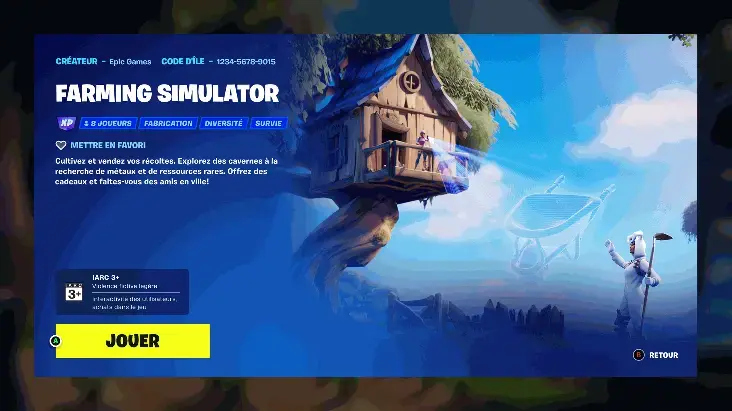 Example of classification
CLASSIFICATION OF COSMETIC OBJECTS
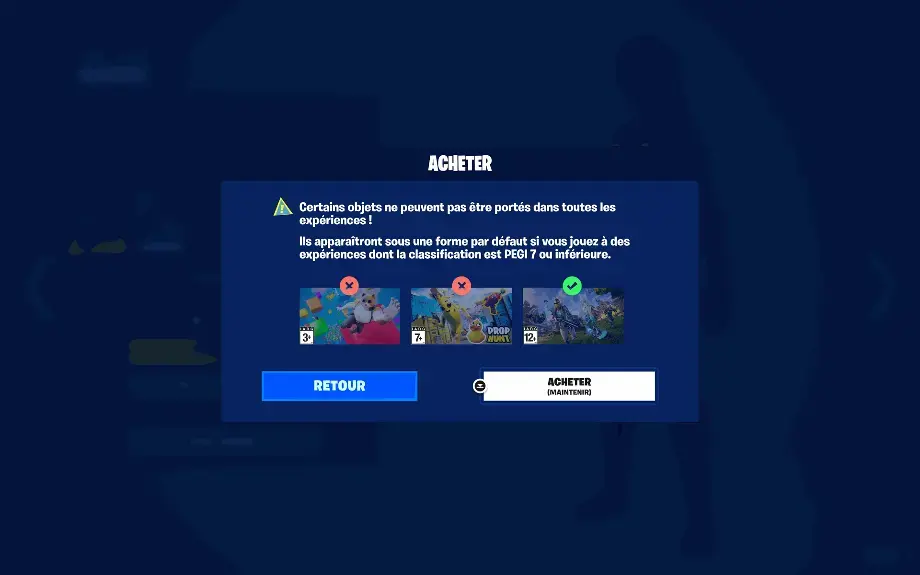
If a player equips one of these items and enters an island whose classification is lower than the designated threshold, the equipped item will appear in a form compatible with the island's classification. (For example, the outfit appears as a default outfit.)
Although Fortnite has thousands of cosmetic items available across all experiences, a small portion is not compatible with those rated "All Ages" or "All Ages 10+" (or their regional equivalent). If so, players will see an icon in their locker and item shop indicating which outfits and accessories cannot be used on islands below a certain rating.
FOR PARENTS AND GUARDIANS
Parents and guardians can use new options in the contrôle parentalparental control from Epic to configure age and content ratings based on their preferences. With these controls, they can prevent their children from accessing content with a rating higher than the one selected. However, parents can unlock certain islands whose rating exceeds the indicated threshold by entering their parental control PIN code.
Parental Controls also has an option to enable or disable a child's ability to create their own islands in Fortnite Creative and/or the Unreal Editor for Fortnite (UEFN)
We hope you find this rating system useful when playing Fortnite!